A lot of samples for R3 OpenCV Extension can be found here:
https://github.com/ldci/R3_OpenCV_Samples
Enjoy 😀
A lot of samples for R3 OpenCV Extension can be found here:
https://github.com/ldci/R3_OpenCV_Samples
Enjoy 😀
Other useful functions found in Rebol 3 : filter and unfiltered for png images.

Source image


Each version of Rebol includes pearls that make image processing easy.
In Rebol 2, for example, you can find an extremely fast convolution function.
You'll find here http://www.rebol.com/view/demos/convolve.r, the demo of convolution effect (By Cyphre).
I remember presenting Rebol at the Hanoi Polytechnic University (https://bachkhoahanoi.edu.vn/) a long time ago, and colleagues were impressed by the speed of a simple interpreted script designed for convolution.
Basically, this function uses a 3 by 3 kernel and offers various filters such as emboss and others. But you can also create your own filter.


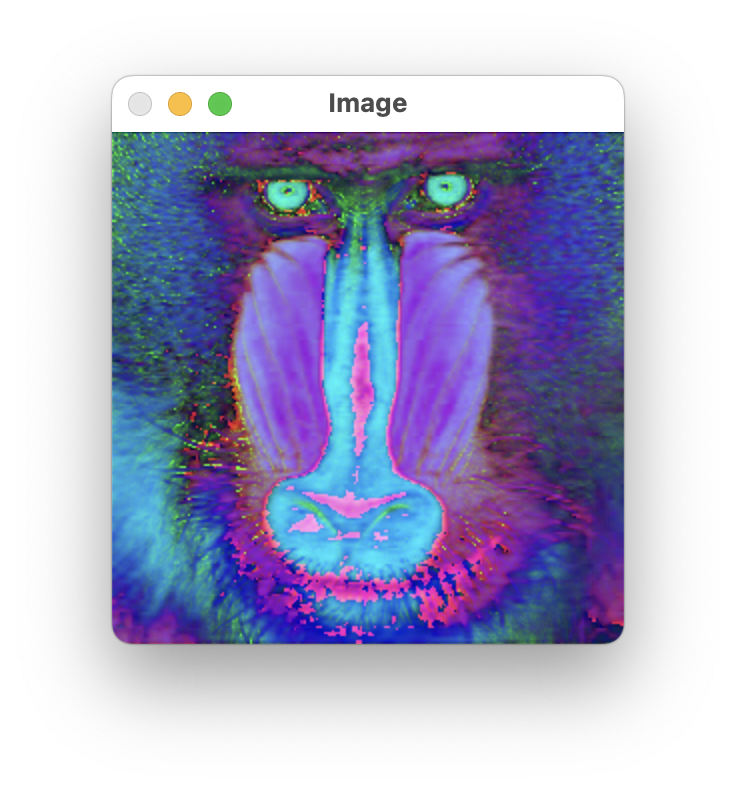 |
 |
More than once while developing redCV, I regretted that Red didn't offer the possibility of creating images in 8, 16, 32 and 64 bits, with a channel number from 1 to 4 as is the case with OpenCV. Such formats are sometimes very useful for speeding up image processing and improving precision. When we developed Matrix with Toomas Vooglaid and Qingtian Xie in 2020, we solved some of the problems. But I was left wanting more, so I did a bit of digging to find out whether Red objects could answer this question. The following code is just one illustration of such an approach.
#!/usr/local/bin/red
Red [
]
rcv: object [
create: func [
type [integer!] ;--1:byte 2:integer 3:float
bit [integer!] ;--8, 16, 32 or 64-bit
isize [pair!] ;--image size as pair!
channels [integer!] ;--1 to 4 channels
return: [vector!] ;--image data
/local
size width height [integer!]
data [vector!]
][
width: isize/x
height: isize/y
size: width * height * channels
switch bit [
8 [data: make vector! reduce ['char! 8 (size)]]
16 [data: make vector! reduce ['integer! 16 (size)]]
32 [data: make vector! reduce ['integer! 32 (size)]]
64 [data: make vector! reduce ['float! 64 (size)]]
]
data
]
]
;********************************* tests ************************************
iSize: 256x256
random/seed now/precise
img1: rcv/create 3 64 iSize 1 ;--create a float image with 1 channel
n: length? img1
repeat i n [img1/:i: round/to random 1.0 0.01] ;--random values [0..1]
repeat i n [img1/:i: img1/:i / 1.0 * 255] ;--random values [0..255]
bin1: copy #{} ;--binary string
repeat i n [append/dup bin1 to integer! img1/:i 3] ;--integer values
dest1: make image! reduce [iSize bin1] ;--a grayscale Red image with 3 channels
img2: rcv/create 3 64 iSize 3 ;--create a float image with 3 channels
n: length? img2
repeat i n [img2/:i: round/to random 1.0 0.01] ;--random values [0..1]
repeat i n [img2/:i: img2/:i / 1.0 * 255] ;--random values [0..255]
bin2: copy #{} ;--binary string
foreach [r g b] img2 [
append bin2 to-integer r ;--red channel
append bin2 to-integer g ;--green channel
]
dest2: make image! reduce [iSize bin2] ;--a rgb Red image
view [
title "64-bit image test"
below
image dest1
image dest2
pad 100x0
button "Quit" [quit]
]

In REBOL/View 1.3 it was necessary to redesign the image datatype in order to make image operations more consistent and less system dependent.The image datatype is structured as a standard REBOL series. It has a head, a tail, and can be positioned to any point in-between. In additional, the new image datatype allows two dimensional positioning and sizing through the use of an X Y pair. (http://www.rebol.com/docs/image.html#section-1). Attention: first pixel coordinates is 0x0 and first pixel index is 1!
In Red, image datatype is a series-like. This means that some series functions are not working.
img1: make image! reduce [200x100 red] :--REBOL/View and Red
img3: make image! reduce [50x50 blue 128] :--REBOL/View
img3: make image! reduce [50x50 blue + 0.0.0.128] ;--Red
The COPY function works in the standard way as it does with all series, making an exact copy of the image provided.
i1: make image! reduce [200x100 red]
i2: copy i1 ;--REBOL/View and Red
i2: copy/part i1 5x5 ;--REBOL/View and Red
i2: copy/part skip i1 4x4 5x5 ;--REBOL/View and Red
i2: copy/part skip i1 2x2 (i1/size - 4x4) ;--REBOL/View and Red
You can use all the standard series functions to index to any position within an image series. The functions include: HEAD, TAIL, NEXT, BACK, SKIP, AT, and others.
i2: next i2 ; move to next pixel ;--REBOL/View and Red
i2: back i2 ; move to prior pixel ;--REBOL/View and Red
i2: head i2 ; move to first pixel ;--REBOL/View and Red
i2: tail i2 ; move just past the last pixel ;--REBOL/View and Red
i2: back tail i2 ; move to the last pixel ;--REBOL/View and Red
Images can be modified in two ways. They can be modified as individual pixels (with poke function) or they can be modified as a series of pixels.
change at img1 1x1 img2 ; --REBOL/View and Red
change/dup at img1 10x20 blue 40x30 ; --REBOL/View
append img1 img2 ; uses insert ; ;--REBOL/View
remove/part img1 img1/size/x ;--REBOL/View
remove/part tail img1 negate img1/size/x ;--REBOL/View
insert/part img1 blue img1/size/x ;--REBOL/View
pos: find img1 red ;--REBOL/View
The EQUAL?, NOT-EQUAL?, and SAME? series comparison functions work for images in the same way as they do for other series datatypes.
Partially supported by Red, but supported by redCV
img1 AND img2 ;--REBOL/View
img1/rgb AND img2/rgb ;--Red
We often get error messages related to overflow. This is annoying, because the code is interrupted and for Red beginners, it's not always easy to understand the nature of the errors. A classic example is overflow when you multiply 2 32-bit integers and the result exceeds the minimum or maximum integer value supported by Red (-2147483648 or 2147483648).
You will find 2 functions (Red/System and Red) that are an attempt to solve this type of problem.
First with Red/System
Red/System [
Author: "ldci"
]
;--system/cpu/overflow? checks if the last integer math operation has overflown.
;--as many CPU operations can change this state, it is only reliable if used immediatly after the math operation.
isMulOverflow?: func [
"function to multiply two integers and check for overflow"
a [integer!]
b [integer!]
return: [logic!]
][
a * b ;--Perform the multiplication
system/cpu/overflow? ;--Immediately return the cpu overflow status
]
;--tests
print-wide ["1000 * 70000 overflow?:" isMulOverflow? 1000 70000 lf]
print-wide ["740000 * 70000 overflow?:" isMulOverflow? 740000 70000 lf]
Red [
]
isMulOverflow?: func [
a [integer!]
b [integer!]
return: [logic!]
] [
if ((a = 0) or (b = 0)) [return false]
attempt [result: a * b]
either a = (result / b) [return false] [return true]
]
;--tests
print ["1000 * 5000 Overflow?:" isMulOverflow? 1000 5000]
print ["-1000 * 1000 Overflow?:" isMulOverflow? -1000 1000]
print ["740000 * 70000 Overflow?:" isMulOverflow? 740000 70000]
The Hough Transformation is a great way to detect lines in an image. You will find here https://www.keymolen.com/2013/05/hough-transformation-c-implementation.html a very nice explanation of the method. Thanks to Bruno Keymolen for sharing his C++ code. With Red language we have two ways for using the Hough transformation. First is to call OpenCV method as illustrated in %OpenCV3-red/samples_gui.red/hough samples.
A second way is to use the code in %RedCV/samples/image_detectors. hough1.red and hough2.red illustrate the implementation in RedCV. Hough1 only uses a Canny filter for edges detection. Hough2 includes a series of edges filters to creates a BW image with lines and points representing the edges. The program gives the number of detected lines, here 9, which are visualised in the original image.

As usual, this kind of algorithm requires a fine tuning of parameters that must be adapted to your needs. Enjoy 😀
